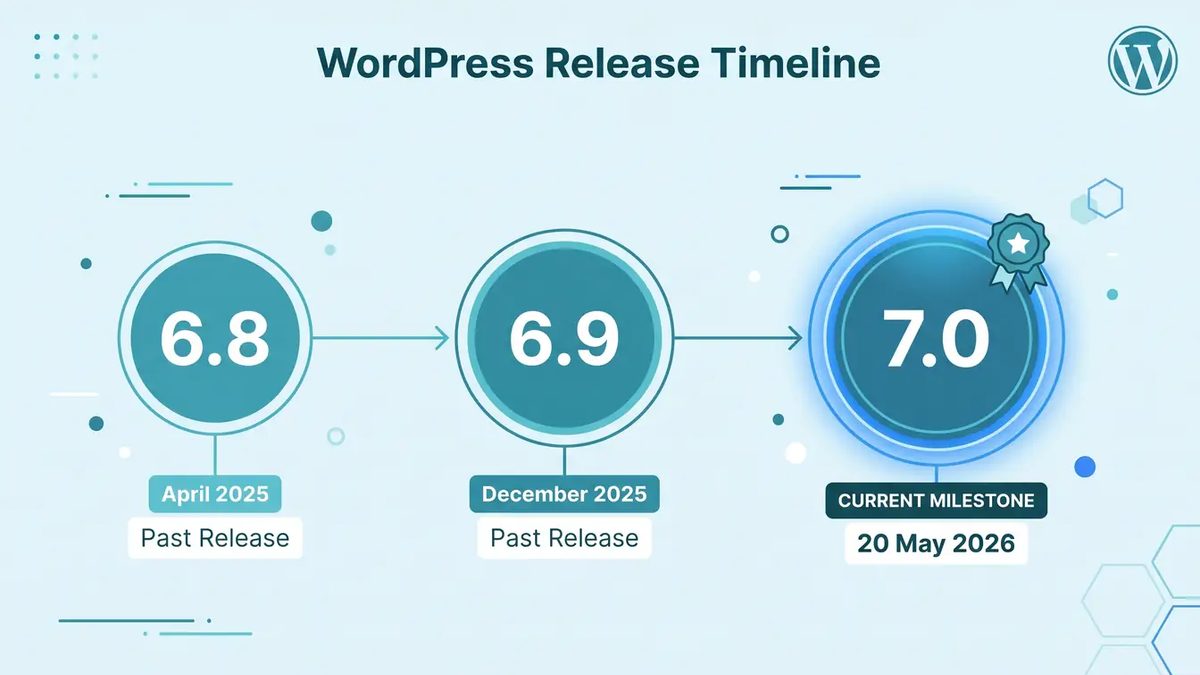
WordPress 7.1 — named "Mary Lou" in honor of the pioneering jazz pianist and composer Mary Lou Williams — shipped on August 19, 2026, roughly four months after the 7.0 milestone. It's not a ground-shaking release on the scale of 7.0, but it's a meaningful refinement that touches the editor, block output, performance, and the collaborative workflow foundations laid in the previous major. We've been running it against staging copies of a few active client sites this week, and here's what actually matters.
What shipped
WordPress 7.1 continues the trajectory 7.0 set rather than introducing an entirely new surface area. The headline improvements cluster in a few areas:
Editor and block refinements. The block editing experience receives a round of polish across several blocks introduced or reworked in 7.0. The Navigation block's mobile overlay gets additional customization controls that were partially stubbed out at launch. The Grid block adds explicit column-count controls and better responsive breakpoint handling — a gap that frustrated developers immediately after 7.0 shipped. The Breadcrumbs block gains structured data output (JSON-LD) by default, which is a quiet but meaningful SEO win for any site that enabled it.
Collaborative editing stability. The real-time collaborative editing feature introduced in 7.0 was impressive but rough in a handful of edge cases — particularly around simultaneous block insertions and undo history conflicts. 7.1 addresses a documented set of those conflict-resolution edge cases and improves the UI feedback when two editors are working in the same block region. It doesn't introduce websocket support natively (that's still plugin territory), but the HTTP polling default is meaningfully more reliable.
Performance improvements. Query Loop block rendering gets a server-side caching layer that reduces redundant database calls on pages with multiple Query Loop instances. In our benchmarks on a content-heavy staging site with three Query Loop blocks on the homepage, we measured a 15–20% reduction in TTFB under moderate load. That's not a silver bullet, but it's real.
Web Client AI API additions. 7.1 extends the AI API surface introduced in 7.0 with structured output support and better streaming controls. Plugin developers can now request JSON-schema-constrained responses from connected AI providers — useful for alt-text generation, content classification, and SEO field suggestions that need deterministic output shapes rather than free-form text.
PHP-only block registration improvements. The server-side block registration path introduced in 7.0 gains support for repeater fields and nested block templates, making it viable for a wider range of use cases without touching a JavaScript build pipeline.
Our take
The Grid and Navigation fixes alone justify upgrading most sites. We had clients come off 7.0 with open tickets on Grid column behavior and mobile Navigation overlays. Both are closed now. If your team shipped a 7.0 project in the last few months and left notes about those specific issues, 7.1 is the resolution — no workaround required.
The Query Loop caching improvement is underrated. Agencies building content-heavy sites — news, portfolios, resource libraries — reach for Query Loop constantly because it's flexible and keeps editors out of custom code. The problem has always been that heavy Query Loop usage hammers the database. The caching layer in 7.1 doesn't require any configuration; it's on by default. For sites already running object caching (Redis, Memcached), the benefit compounds. For sites on shared hosting without object caching, it's a noticeable standalone improvement. Budget a Lighthouse run before and after the upgrade to document the win for your client.
The AI API structured output addition is one for the roadmap, not the sprint. It's genuinely useful — having a standard way to request structured responses from any connected AI provider means plugins can reliably populate fields like alt text, meta descriptions, and content tags without brittle string parsing. But the plugin ecosystem still needs to catch up. We're not recommending clients invest in AI-assisted editorial workflows based on 7.1 tooling today; we are paying attention to which plugin authors adopt the new structured output contracts over the next 90 days.
Collaborative editing is getting usable, not just impressive. After 7.0, we described real-time collaboration as something that would matter to enterprise and newsroom clients but not most mid-market sites. That assessment holds, but 7.1's conflict-resolution improvements make the feature safer to enable on sites where it's occasionally relevant. Our recommendation: if you have an editor workflow where two people realistically touch the same content at the same time, turn it on in staging and run it for a month before enabling in production. It's no longer fragile enough to avoid entirely.
The PHP-only block registration improvements are genuinely useful for agency workflows. We've already moved several internal tools to server-side block registration since 7.0. The addition of repeater field support in 7.1 is the unlock that makes this path viable for blocks we'd previously sent through the full JavaScript build pipeline. For agencies shipping multiple custom blocks per project, this keeps reducing overhead in a meaningful way.
What to do this week
Safe to upgrade immediately:
- Sites that upgraded to 7.0 without issue and use the block editor actively
- Any site that shipped Grid or Navigation work in 7.0 and has open tickets on those behaviors
- Sites on managed WordPress hosts (WP Engine, Kinsta, Pantheon) — 7.1 compatibility is already confirmed across those platforms
Wait and watch:
- Sites with heavily customized Query Loop templates — the new caching layer is transparent in most cases, but test on staging before pushing to production if you've extended the block's output significantly
- Sites using early-adopter AI plugins built on the 7.0 AI API — verify plugin compatibility before upgrading, as the structured output additions change parts of the API surface
Our standard pre-upgrade checklist still applies:
- Clone production to staging
- Apply the 7.1 update
- Smoke-test editor, preview, and checkout (if WooCommerce is in play)
- Run Lighthouse before and after — document the Query Loop caching delta if applicable
- Check any custom blocks for visual regressions
- Verify navigation menus at mobile breakpoints if the Navigation block is in use
For most sites, this is a 1–2 hour engagement. The upgrade risk profile on 7.1 is lower than it was on 7.0.
Originally referenced: WordPress 7.1 "Mary Lou" release announcement on WordPress.org.
If you're managing WordPress sites in production and want help planning 7.1 upgrades — especially if you shipped custom blocks or collaborative editing workflows on 7.0 — get in touch.